



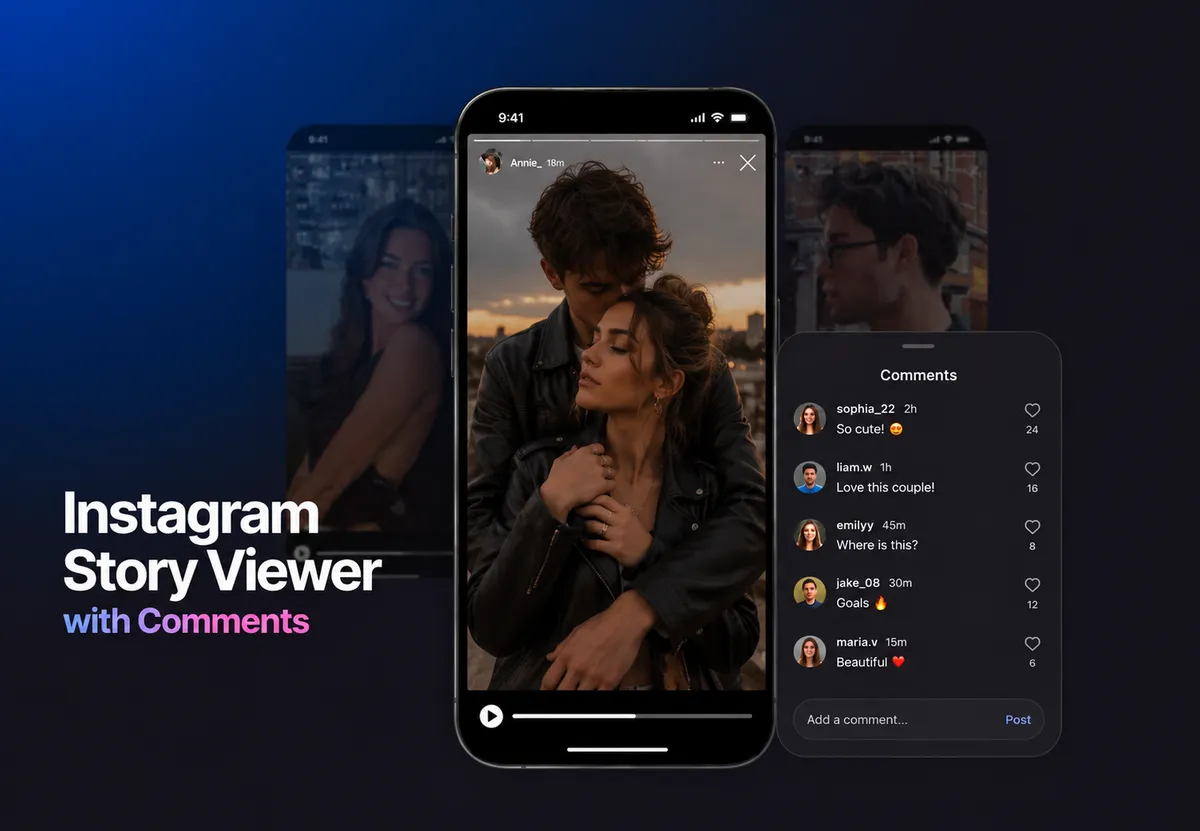
You're watching someone's story, and see that there are comments sitting in the corner, visible to everyone, not hidden in anyone's inbox. The Instagram story viewer with comments feature is relatively new, not fully rolled out to all accounts, and works differently from what most people assume. It also works differently from the old reply-to-story system. Those two things get confused constantly.
This guide covers how the public comments feature works, who sees what, how to manage your settings, and how to use Instagram story viewer when you want to view stories without usual signs.
What Is Instagram Story Viewer with Comments
Instagram's public story comments feature lets viewers leave comments directly on a story, not as a DM, but as a visible public comment that appears in the bottom-left corner of the story for all viewers to see. By default, only mutual followers can comment. The story owner can adjust that to "Everyone" or turn comments off entirely. Comments disappear when the story expires after 24 hours, unless the story is saved to highlights, in which case comments remain visible there.
The feature is only available on public accounts. Private accounts don't have access to it, which is one reason many users never encounter it or assume it doesn't exist. It's also worth separating this from two things people regularly confuse it with. Post comments sit in a permanent public thread below a photo or video, they don't expire, and anyone can scroll through them at any time. Then there's the older story reply mechanic, where tapping the message field at the bottom of a story sends a private DM to the owner, visible to no one else, stored in the inbox.
Instagram introduced public story comments in late 2024 and rolled the feature out gradually with almost no formal announcement. Statista reports over 500 million daily active Instagram Stories users as of the last published figures. A large portion of those users are navigating a comments system that changed significantly and got almost no explanation from the platform itself.
Instagram Story Public Comments Feature: How It Actually Works
When a viewer opens a story and taps the chat icon in the bottom-left corner, they're not opening a DM. They're entering the public comment interface. They type their comment, tap Post, and it appears on the story, visible to everyone who can view that story. Instagram's Help Center confirms that comments are tied to the story's lifespan, not to a permanent thread.
I went through this myself on a public account. Posted a story, and asked a few people to "comment on it." Half of them went to the message field at the bottom and sent DMs. The other half found the chat icon and left actual public comments that showed up in the corner. The interface isn't clear about which is which.
This is why so many users report Instagram story comments not visible. They're either looking at the wrong interaction point, the feature hasn't rolled to their account yet, or their settings restrict who can comment.
For anyone asking how to see comments on Instagram story: open the story and look at the bottom-left corner. If comments exist and your settings allow visibility, they'll appear there. If nothing shows, check whether comments are enabled in your account settings before assuming the feature is missing.
Instagram Anonymous Story Viewer Comments: What You Can See Without an Account
Without an Instagram account, you can open a public profile and view their active stories. If the account has public story comments enabled and has received any, those comments are visible in the bottom-left corner of the story, no login required.
Not every account has the feature yet. And those that do may have comments restricted to mutual followers, which means the comment section exists but stays empty from your perspective.
This asymmetry matters. The Instagram story viewer and comments setup is controlled entirely by the story owner's settings, not by the viewer's account status. The owner decides who sees comments by deciding who can leave them: a comment from a mutual follower is public to all story viewers, but if only mutual followers can comment, the comment pool stays limited regardless of who's watching.
Can People See Comments on My Instagram Story — and Who Exactly Sees What
Every viewer who opens the story sees the same comment section. But the visibility logic has two separate layers. The story owner controls who can leave comments through their settings. Anyone who can view the story can read the existing comments. Those two permissions are independent. A story set to public view but mutual-followers-only comments will show comments to all viewers, just written only by mutual followers. A stranger landing on your story sees the same comment thread your closest followers see. They just can't add to it.
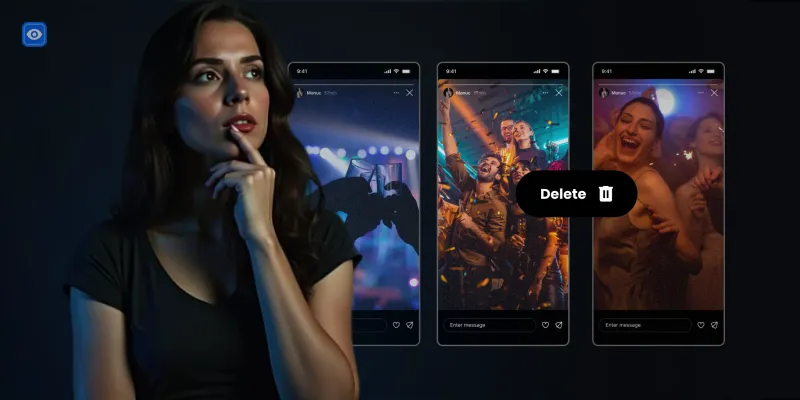
Can people see comments on my Instagram story? Say someone leaves a comment you don't want visible: something offensive, off-topic, or something you'd rather not have sitting on your story. You tap and hold the comment and delete it. It disappears from the thread immediately. The person who left it gets no notification. Other viewers stop seeing it as if it was never there. Clean removal, no confrontation required.
Honestly, the feature is worth using despite the confusion. Public comments add real engagement — visible reactions, actual back-and-forth — that private story replies never delivered. And the controls are solid enough to make it work on your terms.
Pew Research found in 2023 that young users adjust privacy settings specifically over concerns about who can interact with their content — a fair instinct. But with mutual-followers-only comments as the default, most of the noise is already filtered out. For managing specific accounts without blocking, restricting on Instagram adds another layer of control worth knowing.
View Stories Without Showing Up on the List
Want to watch public Instagram stories without showing up in the viewer list? Peekviewer does exactly that, completely privately.
Watch Now
How I Turned Off Story Comments After Getting Unwanted Replies
After posting a story that got more traction than expected, the comment section filled up fast. Some good, some I had no interest in keeping visible. Managing it per-comment got old quickly, so I went looking for a broader setting.
Here's the path for how to turn off story comments on Instagram:
- Tap your profile icon in the bottom-right corner
- Tap the hamburger icon (three lines) at the top right
- Scroll down and tap Comments
- Select Stories
- Choose "Everyone," "People you follow," or turn them off entirely
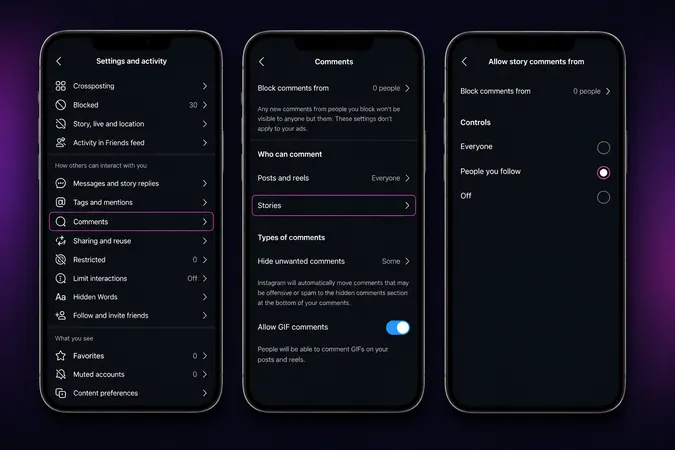
That setting controls the whole feature at account level. Flipping it to "People you follow" cuts the noise significantly without disabling comments altogether – the option I'd recommend for most people rather than turning the feature off entirely.
On how to hide comments on Instagram story on a per-comment basis: tap and hold a specific comment in the story. A hide or delete option appears. It removes that comment from the visible thread without notifying the person who left it.
For how to share comments on Instagram story: if a comment is worth highlighting, there's no native reshare button tied to individual story comments. The workaround is to screenshot the comment as it appears on the story and add that screenshot to a new story as an image. How to repost comments on Instagram story? Same process. It's manual and slightly clunky, but it works.
Hiding vs. Turning Off: What's the Real Difference and When Each Makes Sense
Last week a comment landed on one of my stories that I didn't want there. Nothing serious, just someone being unnecessarily negative. I hid that one comment, left everything else visible, and the thread kept going normally. The person never knew. That's exactly what hiding is for: one comment, one person, surgical removal. Can people see hidden comments on Instagram story? No, once hidden, it's gone from the thread entirely.
Turning off comments is a different move. It closes the channel for new comments or restricts it to a smaller audience. That's the right call when a specific story is attracting noise you don't want to manage at all, not when the problem is one person.
The practical recommendation: most people reach for account-wide disabling after one bad experience. That's almost always the wrong call. The audience setting — "People you follow" instead of "Everyone" — cuts most unwanted noise without killing the feature. Turning everything off means the people who would leave genuinely useful comments can't either, and that's a bad trade.
Why Don't I Have Story Comments on Instagram — I Investigated
A friend texted me frustrated, because her stories had no comment section. Mine did. Same app, both public accounts. So we went through it together. First thing I asked: when did you last update the app? She hadn't in months. One update later, the chat icon appeared.
But it's not always the app. The feature only works on public accounts — private accounts don't get it regardless of anything else. That's the second thing to check, and it rules out a lot of troubleshooting dead ends fast.
If you're on a public account with the latest app and still nothing, it may simply not be available in your region yet. Instagram rolled story comments out gradually from late 2024 with no clear timeline for full global rollout. Checking Instagram through a web browser sometimes surfaces settings the mobile app hasn't caught up to yet.
And if the feature is technically live on your account but comments aren't showing on your stories, go to Settings → Comments → Stories. There's a decent chance you turned it off at some point and forgot about it.
Viewing Instagram Stories Anonymously: What's Actually Possible
Instagram logs every account that views a story. Watch a story while logged in, and your username appears on the owner's viewer list. What many people actually want is a way to check on someone's story without signaling they were there.
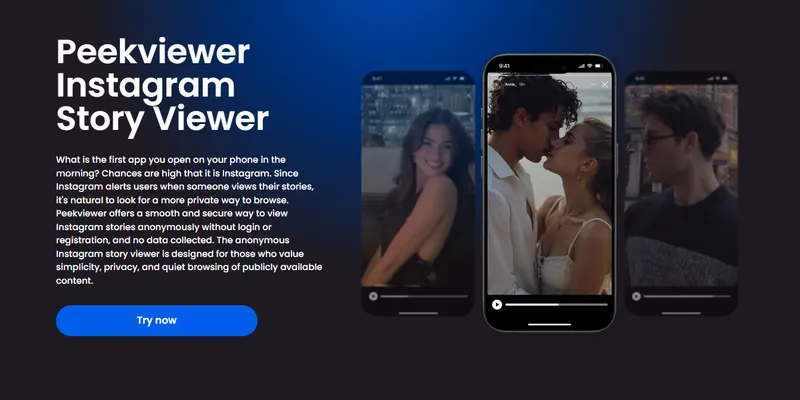
Peekviewer Instagram profile viewer handles this for IG accounts. You don't need an Instagram account. You won't show up on the story owner's viewer list. Peekviewer loads the content in a private dashboard. Instagram never sees you because you're not going through Instagram at all.
For context on how the standard viewer mechanic intersects with blocking and visibility, view Instagram story and block them covers that territory in detail.
What Peekviewer Actually Shows You
Tested on several accounts of my friends and colleagues. Here's what loaded: the story content — photos, videos, text overlays — exactly as posted. Story content loaded cleanly across all tests. The story loaded without any verification step, without asking me to create an account, and without sending any notification to the story owner. What Peekviewer doesn't access is anything private by design: DM replies, hidden comments, story reactions or viewer count, restricted-audience content. Those were never externally accessible to begin with.
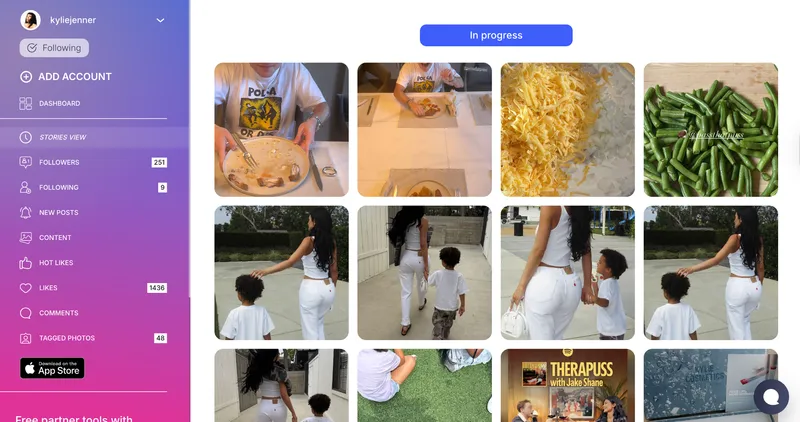
Peekviewer saves everything you view in a private dashboard for up to 90 days — and honestly, that's the best part. Stories expire after 24 hours on Instagram, but anything you've already viewed stays accessible in your dashboard whenever you need to go back to it.
How to Use Peekviewer Step by Step
- Go to peekviewer.com
- Select the account type and enter its username or paste the link
- Enter your email to create a viewer space (or do it later)
- Choose a subscription plan
- Access story content in your private dashboard
Fully browser-based, no app download, works on any device. For anyone also looking into how to see deleted comments on Instagram, that mechanic is separate from live story viewing and covered in its own guide.
Conclusion
Instagram story viewer with comments is a newer feature with real visibility: comments show up publicly in the bottom-left corner of a story, not in anyone's DM inbox. Managing who can leave them, hiding individual comments, and understanding what viewers actually see are all things the settings quietly control. For viewing stories without leaving a trace, Peekviewer handles the part Instagram's design deliberately doesn't.
FAQ
Other viewers see the same public thread in the bottom-left corner, that's the Instagram story viewer and comments experience everyone shares. What they can't see is who else viewed the story. The viewer list is visible only to the story owner, not to other viewers.
The first thing to check is whether you know how to see comments on Instagram story at all; they appear in the bottom-left corner, not below the story like post comments. If the corner is empty, three likely causes: the Instagram story public comments feature hasn't rolled to your account yet, your comment settings are set to "Off" or "People you follow," or you're on an outdated app version. Go to Settings → Comments → Stories before assuming the feature is missing.
Comment settings apply at the account level, not per story. To understand how to turn off story comments on Instagram, go to Settings → Comments → Stories and choose "People you follow" or turn them off entirely. For individual comments already posted, how to hide comments on Instagram story is straightforward: tap and hold the comment on the story and delete it.
The Instagram story public comments feature on public accounts set to "Everyone" is visible to anyone viewing the story, so no login needed. That's the core of the Instagram anonymous story viewer comments experience: if comments are open, you see them. If comments are restricted to mutual followers, you won't. For viewing the story content itself on any public profile, Peekviewer works without an account.