










Why Do People Want to View Private Instagram Accounts?
Surely, there were times when you were tempted to make your IG account private. Less attention from strangers sounds great, especially if you want to keep certain people out of your personal life. Setting your profile to private can solve a few problems.
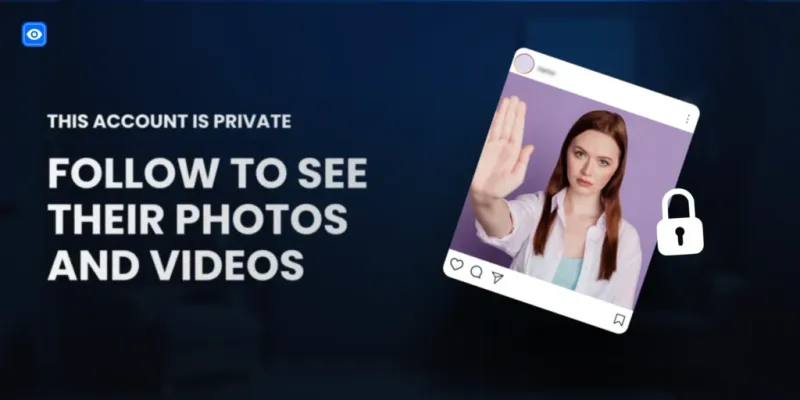
So, what does it mean? Private accounts on Instagram let you choose who sees your content. But there's a downside – they often make other people more curious. That "This account is private" message leaves plenty of questions unanswered.
Instagram privacy settings restrict access for anyone who isn't an approved follower. And as luck would have it, you aren't an exception to that rule. Today, we'll discuss how to view private Instagram profiles, compare different methods, and explain how Peekviewer works.
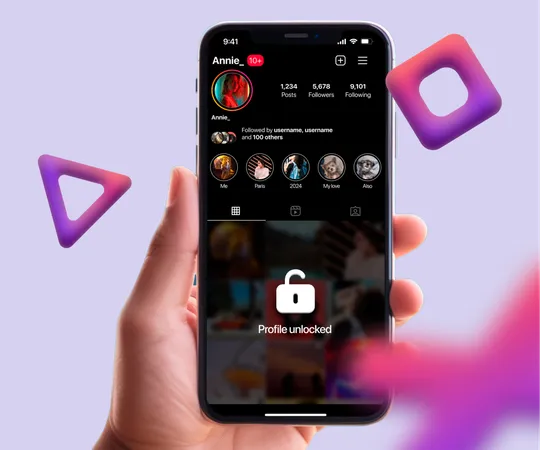
Before we get into the how, it's worth understanding why people search for how to view private Instagram profiles in the first place — because your reason determines which method makes the most sense.
You're checking on someone you know. An ex, an old friend, a family member who blocked you — these are the most common reasons. You don't want to send a follow request and reveal that you're looking. You just want a quiet look.
You're doing competitive research. Brands and marketers sometimes find that competitors or influencers they want to research have private accounts. Knowing what they're posting — without tipping them off — has real strategic value.
You've been blocked. If someone blocked you on Instagram, their profile becomes invisible. You can't search for them, you can't see their content, and you certainly can't follow them. But the curiosity doesn't disappear just because access did.
You're verifying someone's identity. Whether it's a date you met online, a new business contact, or someone your kid is talking to — seeing what someone actually posts can tell you a lot.
We've tested every method in this guide — including third-party tools, fake accounts, and cross-platform searches. The advice below is based on what actually works in 2026, not what used to work or what sounds plausible. We'll be honest about the limits of each approach.
Introduction to Private Instagram Accounts
Private Instagram accounts let users control who sees their posts, stories, and reels. Only approved followers can view restricted content. People choose private settings to protect personal moments, avoid unwanted attention, or share updates with a smaller audience. When you open a private profile, you'll normally see its username, bio, and profile picture, but not its posts or stories. That's why people search for how to view private Instagram accounts without sending a follow request.
Quick Comparison: Methods to View Private Instagram
| Method | Works | Anonymous | Free |
|---|---|---|---|
| Fake account | Sometimes | Partly | ✓ Yes |
| Cross-platform search | Sometimes | ✓ Yes | ✓ Yes |
| Peekviewer | ✓ Yes | ✓ Yes | Subscription |
| Other third-party tools | Rarely | Varies | Varies |
How to View Private Instagram Profiles with a Fake Account
One common suggestion for how to look at private instagram accounts is creating another Instagram profile and sending a follow request. However, a second account doesn't change Instagram's privacy settings. The owner still needs to approve your request. If you want to keep your personal and professional activity separate, here's how to create another account:
- Start fresh: Register another Instagram account using an email address you control.
- Choose a username: Pick a suitable name without impersonating someone else.
- Add a profile picture: Use your own photo or another image you're allowed to use.
- Write a bio: Add a short description of yourself or the account's purpose.
- Follow relevant accounts: Browse public profiles and interact with content that interests you.
- Build your account naturally: Share posts and connect with people you know.
- Send a follow request: Find the private profile and wait for approval.
This method has a fundamental problem: it only works if the person accepts your request. Many private accounts are private precisely because the owner is careful about who they let in. If they recognise anything suspicious — no mutual followers, fresh account, vague bio — they'll decline. And even if accepted, they can remove you later. It's also not anonymous in any real sense — if discovered, the link back to you is obvious.
How to View Private Instagram Profiles by Checking Other Social Media
If someone's Instagram is private, they may still share the same content elsewhere.
Many people post photos and videos across Facebook, TikTok, X, Snapchat, or YouTube. Sometimes an Instagram reel is also available publicly on another platform. Start with their Instagram bio. Look for links to other accounts, a website, or a recognizable username. Then search for the same handle on other platforms. Public tags and mentions may also lead to related posts.
This works well for public figures and influencers who naturally cross-post. For private individuals — someone's ex, a personal acquaintance, a person who deliberately keeps their Instagram private — this method usually comes up empty. People who want privacy tend to be private everywhere, not just on Instagram.
Does Peekviewer Work for Private Accounts?
This is one of the questions we see most often, and it comes up in forums and Instagram communities too: does Peekviewer work for private accounts, and what can you actually see? Peekviewer is an online Instagram viewer that lets you check account content and activity without connecting your Instagram profile. You only need a username to get started.
Here's what makes Peekviewer different from other viewing tools:
- More than basic profile details. Peekviewer brings available posts, stories, reels, highlights, likes, and comments into one dashboard.
- Ongoing monitoring. Peekviewer tracks supported account activity and saves available content as it's collected. You can return to your dashboard to check new posts and updates.
The amount of content available depends on the account and when monitoring begins.
Peekviewer needs to be monitoring the account before content is posted to capture it. You can't go back and retrieve posts from three months ago on a profile that was never being monitored. Start your subscription as soon as you know which account you want to watch — the sooner monitoring begins, the more content you'll have access to.
Use Peekviewer to View Private Instagram
Peekviewer works directly in your browser, with no downloads or Instagram login required. Here's what you can do:
- View Instagram content: Check available posts, stories, reels, and highlights. The Instagram story viewer lets you watch stories.
- No Instagram login: Use Peekviewer without sharing your personal Instagram credentials.
- View blocked accounts: Check available content from accounts that have blocked you. See more about blocked Instagram accounts.
- Download content: Save supported posts, stories, and videos. The Instagram downloader lets you save available media, with storage for up to three months.
- View comments: Read available comments and interactions on Instagram posts. The Instagram comment viewer brings them together in one place.
- Check likes: See available likes and engagement activity. The Instagram likes viewer helps you review this information.
- Monitor activity: Check newly recorded posts and stories in your dashboard. Updates may take time to appear.
- Individual subscriptions: Each subscription covers one Instagram account. Additional accounts require separate plans.
How to Use Peekviewer
1. Visit Peekviewer and click Try Now.
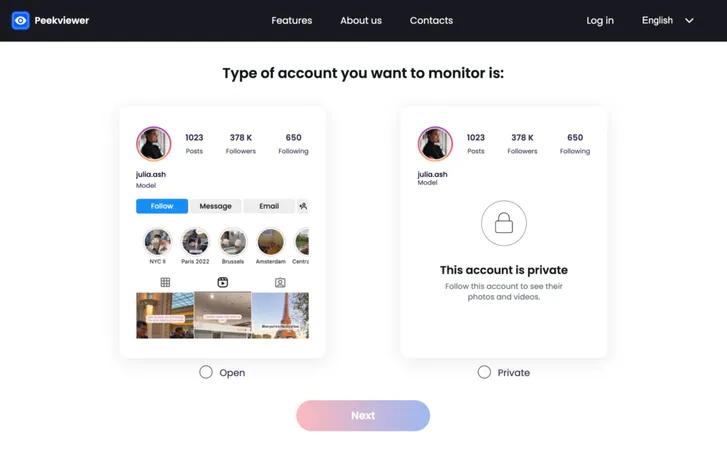
2. Select whether the account is public or private.
3. Sign up with your email or Google account.
4. Choose a subscription plan.
5. Enter the username of the account you want to monitor.
6. Browse their stories, posts, likes, and more — completely anonymously.
Peekviewer is not free — it runs on a paid subscription model. Each subscription is tied to one account. If you need to monitor multiple profiles, each requires its own plan. It's best suited for situations where you have one specific account you want to watch consistently, not for casual browsing of multiple profiles.
How to View Private Instagram Profiles with Other Tools
Search for how to view private Instagram, and you'll find websites offering different ways to check Instagram accounts. Some display only public information. Others require surveys, downloads, or verification steps before showing results. Here's how several well-known tools differ.
Gwaa
Private viewer
Runs users through steps that generate affiliate revenue without delivering any content.
Instaspy
Rebranded as PriSpy
Survey loop, no legal info, malware risk. We tested it — got nothing after completing all steps.
Instalooker
Human verification tool
Shady offers, random app downloads. Monetises attention via affiliate commissions — delivers nothing.
Swioz
Fake progress bar tool
Looks convincing, loops back to start. Bounced support email, no privacy policy. Doesn't work even on public profiles.
Stealthgram
Ad-heavy, public only
Blocked us on download with no warning. Broken on mobile. ScamAdviser flags low trust score.
Imginn
Public scraper with ads
Ad on every click, redirects to affiliates, requires full cookie acceptance. Cloudflare issue breaks it on Firefox.
Gwaa: Marketed as a private Instagram viewer but doesn't work as claimed. It won't allow users to view private Instagram without human verification or access private profile content. Like many tools in this category, it runs you through steps that generate revenue for the operator without delivering anything useful in return.
Instaspy: Recently rebranded as PriSpy, but the tricks stay the same. It claims to be an AI-based private Instagram profile viewer — but in testing, public profiles only showed what Instagram already reveals to anyone, and private profiles returned completely wrong descriptions. Before you get any "access," it pushes you through human verification: surveys, random app downloads, and shady links. We completed the verification steps ourselves. We got nothing. The site has no terms of service, no contact information, no legal address, and no real company behind it. Malware risk is real.
Instalooker: Surveys and pop-ups ruin the experience considerably. It requires human verification that usually means completing shady offers — downloading random apps or doing questionable tasks. These extra steps make the whole process frustrating and unreliable. Like Instaspy, it's monetising your attention through affiliate commissions, not actually accessing private content.
Swioz: Presents a clean, minimal interface with bold promises — but clicking through reveals that several listed pages simply don't load. We ran the full test: enter a username, a progress bar appears scanning and connecting, it looks convincing. Then right before the supposed results arrive, the tool stops. A "human verification" prompt appears — surveys, app downloads, offer completions. We went through all the steps. The tool looped back to the start. No content was ever delivered. The support email bounces, the Instagram page hasn't been updated in years, and there is no privacy policy or legal address of any kind. It doesn't work on public profiles either — the same loop plays out regardless of whether the account is open to everyone.
Stealthgram: Free to use and simple enough to navigate, but loaded with ads from the moment you open the site — before you've even searched for anything. In testing, downloading content got us immediately blocked with no warning or explanation. Stories and reels frequently failed to load. It works only on public profiles. On mobile devices it barely functions at all — pages wouldn't load properly and nothing worked as it should. ScamAdviser flags it with a very low trust score, a hidden site owner, and registration under a company known for hosting scam and spam sites.
Imginn: A public Instagram viewer — the pitch is simple: type a username, the tool pulls publicly available content. In testing, every click came with an ad. Sometimes five seconds, sometimes over thirty. A few were just black screens counting down. Stories loaded on two out of three accounts tested — one never loaded at all. Redirects opened new tabs pointing to affiliate partner tools. The site required full cookie acceptance before showing anything — reject non-essential cookies and you get a blank page. For private accounts, Imginn returned only the username, follower count, and bio — exactly what Instagram shows anyone. There is no privacy policy, no terms of service, no contact information anywhere on the site. A recurring Cloudflare cookie issue on Firefox means the site sometimes refuses to load entirely for technical reasons most casual users can't solve.
Spynger: More of a phone monitoring tool than an Instagram viewer. Suited for parents who can afford the price tag and are willing to deal with more complicated features and installation. Not relevant if you're looking for a simple, browser-based way to view a profile.
It's important to remember that attempting to bypass privacy settings or access private profiles may violate Instagram's terms and could lead to penalties or account bans. Always respect legal boundaries and privacy laws when considering any method to how to look at private instagram accounts.
The pattern with fake tools is always the same: they run you through surveys, verification steps, or app downloads before revealing that they can't actually access private content. If a tool asks you to complete a survey or download something before showing you results — leave immediately. Legitimate tools show you what they can do upfront.
Risks and Precautions of Using Private Account Viewers
Not every Instagram viewer delivers what its website promises. Some display only basic profile information, while others introduce additional verification steps.
A few things deserve attention.
Protect your login details. Avoid unfamiliar websites requesting your Instagram password or verification codes. Peekviewer doesn't require your Instagram login.
Check downloads. Unknown applications and browser extensions may request unnecessary permissions. Check the publisher before installing anything.
Read subscription conditions. Review billing periods, renewals, cancellation options, and refund terms before paying.
Respect privacy settings. Use Instagram content responsibly and follow the platform's rules.
Check supported features. Services differ in account coverage, historical records, and available content.
A reliable service should clearly explain what users can expect.
Final Thoughts
There are different ways to check Instagram accounts, but each has its limits.
A follow request gives you direct access to private content if the owner approves it. Cross-platform searches may help you find information already shared publicly.
Peekviewer lets you view available Instagram posts, stories, likes, comments, and account activity through one dashboard. No Instagram login or app installation is required.
FAQ
You can check publicly available content or send a follow request without third-party surveys. Peekviewer uses registration and paid subscriptions rather than survey-based access.
Sending a follow request is the standard free option. You can also search for content the person has shared publicly on other platforms.
It depends on the service. Check its privacy policy, avoid suspicious downloads, and don't share your Instagram password with unfamiliar websites.
Private stories are normally visible to approved followers. Instagram viewing services offer different features for checking available story content.
Peekviewer is an Instagram viewing service for checking accounts and monitoring activity. Its dashboard includes available posts, stories, reels, and engagement information. Content availability depends on the account.
You don't need to connect your Instagram account or send a follow request to use Peekviewer. The dashboard displays supported content and account activity.
Instagram limits access when someone blocks your profile. You can still check publicly available information elsewhere. Our guide on how to see a blocked Instagram account covers the available options.