




Save a post on Instagram and a worry follows: can people see what you save on Instagram, especially the creator? The short answer is reassuring. Your saved posts sit in a private tab no one else can open, so can people see my saved on Instagram lands on a firm no. There's a catch about the save count, and a bigger one about your other activity. An IG profile viewer covers that second part; first, what's actually private.
Are Saved Posts on Instagram Private?
So are saved posts on Instagram private? Yes, completely, by default. Nobody else can see the posts you've saved, and that includes the person who created the content. When you tap the bookmark, the post drops into a tab only you can open while logged in.
There is one nuance. No one sees what you saved, but the creator can see how many saves a post got, through their post insights. That number shows in their analytics, never a list of names. So the honest answer to can people see what you save on Instagram stays no; they see a tally, not you.
Can People See Your Saved Posts on Instagram? What Instagram Shows and Hides
By content type, it's simple. Saved posts: private. Saved reels: private. And can people see your saved videos on Instagram? Also no; saved videos live in the same hidden tab. Whatever the format, can people see your saved posts on Instagram comes down to the same answer, nobody but you.
What each side sees is simple. The creator sees a total save count, never who saved. Other users see nothing, because your saved tab doesn't appear on your public profile; it only exists when you're signed in.
Are Instagram Collections Private?
Collections raise the same question. Are Instagram collections private? Yes, fully. Collections are folders you make to organize saved posts, visible only to you, never to followers or friends. No other user can open them, even someone looking right at your profile. They aren't shared, suggested, or surfaced.
How to See Others Saved Posts on Instagram? Is It Possible?
The reverse question comes up a lot. The answer is blunt: no, there's no native way to see another person's saved posts. Their saved tab is hidden from every other profile, and third-party tools can't reach it either, because Instagram doesn't expose saved data through its API. To read someone's interests, their public signals tell you more anyway: likes, comments, and who they follow. That's where a different approach helps.
Your Saves Are Private, but Your Other Activity May Not Be
Saves are the private corner of Instagram. Plenty of your other activity isn't. Likes on public posts are visible to anyone scrolling that post's likes. Comments are public. Story views get logged in the owner's viewer list. Profile visits can leave traces, and follower and following lists are often wide open. If you've untapped a like a second too late, our guide on like and unlike an instagram post shows how visible that is. To browse Instagram, including saving ideas for later, without any of those footprints, Peekviewer is the clean fix.
Browse Instagram Anonymously with Peekviewer
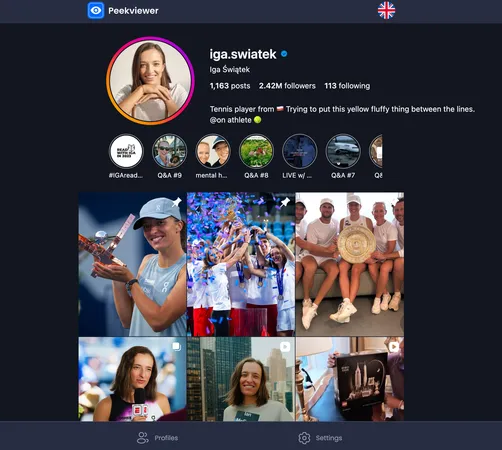
Peekviewer lets you view any Instagram profile, public or private, with its posts, reels, stories, and activity, without an account or login. Nothing you look at fires a save or like notification, logs a story view, or records a profile visit. The owner never knows you stopped by. With just a username, our Instagram post viewer pulls the content into your dashboard.
What You Can View Anonymously with Peekviewer
Beyond avoiding a footprint, browsing from the outside opens up the whole profile:
- Posts and reels, without liking or saving them
- Stories, without landing in the viewer list
- Likes, including Hot Likes on old posts
- Follower and following activity
- Tagged photos
- Profile and bio
- 3-month activity history in your dashboard
- Works on public and private accounts
- No Instagram login or credentials required
How to Use Peekviewer
Getting started is quick:
- Go to peekviewer.com.
- Enter the Instagram username you want to view.
- Browse their full profile and content from your dashboard.
Choose a plan for ongoing monitoring. No login or installation, and it runs on any browser or device.
What Stays Private and What Doesn't
Your saved posts and collections on Instagram are fully private. No one, not even the creator, can see what you've bookmarked; they only see a total save count. Where privacy thins out is the rest of your activity, from likes to story views. To browse Instagram with none of those traces, Peekviewer leaves no trace of the visit.
FAQ
No. The creator sees how many total saves a post got in their insights, never who saved it. Your save stays private to them and everyone else, with no notification or name attached.
No. Collections are private folders only you can open. Followers, friends, and profile visitors see nothing of them. Instagram doesn't share or suggest your collections to others.
No. Saved reels sit in the same private saved tab as saved posts and videos. No other user can view them, including the accounts that posted them. Only you see your saved reels, while logged in.
No. There's no native feature or third-party tool that can reveal another person's saved posts, since Instagram doesn't expose that data. Their public activity, likes, comments, and follows, is the realistic signal.