





You were following someone's Instagram. One day a post you remembered seeing is gone, not deleted, just lifted off their grid like it was never there. That's the archive feature, and it sends a lot of people searching for an Instagram archive viewer that can pull the post back into view. The hard part of this guide is also the useful part: I'm going to tell you exactly where to search dead-ends, what others can genuinely see, and the one approach that holds up. You can run any account through an Instagram profile viewer, but archived content plays by different rules, and those rules are the whole story here.
What Is Instagram's Archive Feature and Where Is Archive on Instagram
Archiving does something specific and often misread: it hides a post or story from the profile without erasing it. The content still exists on Instagram's servers. It just stops appearing anywhere public. The owner keeps a private copy they can restore whenever they want.
The question of where is archive on Instagram has a blunt answer for everyone who isn't the account holder: nowhere you can reach. The archive lives behind the owner's profile, in a settings area only they can open. Instagram story archives work the same way, tucked into the owner's account and invisible to outside viewers. Meta's own archive help page spells out the design intent plainly, archiving is built to give the owner control over visibility, which by definition means locking everyone else out.
How to View Archived Posts on Instagram — The Hard Truth
I spent real time looking for a way to view someone else's archived posts. Here's what I found, stated without the usual hedging: you can't.
Archived posts are not publicly accessible, and that's not a loophole waiting to be discovered, it's the explicit purpose of the feature. Instagram hides archived content from everyone except the owner on purpose, the same way a locked drawer isn't a puzzle to solve. Asking how to view archived posts on Instagram that belong to someone else is asking the platform to override a privacy choice it deliberately engineered. It won't, and no tool reaches past that wall after the fact.
So if you're here hoping a clever trick surfaces a stranger's archive, I'll save you the afternoon: there isn't one. What there is — and it's a real answer — depends entirely on timing, which I'll get to. The honest version of how to view archived posts on Instagram is that you can only see what was captured while it was still visible.
How to See Archive Story in Instagram: What Others Can Actually See
Stories are the harder case, and worth their own breakdown. A story already vanishes after 24 hours by default; archiving makes that disappearance permanent for anyone outside the account.
When someone wonders how to see archive story in Instagram content from another person, the reality is stricter than with posts. Archived stories never resurface in highlights unless the owner manually pins them there. From the outside, an archived story and a story that was never posted look identical. That's the design, and how to see archive story in Instagram belonging to someone else runs into the same closed door as posts, only the door is heavier.
Instagram Archive Website: Do Third Party Tools Work?
This is where the internet gets noisy with promises. So let me be specific about what an Instagram archive website actually delivers versus what it advertises.
Most of these tools fall into two camps. The first shows only public content, which means they can display a public profile's current posts but have no path to anything archived, because archived material isn't public to begin with. The second camp simply doesn't work, returning errors or empty results dressed up with a loading animation. I went looking for counterexamples and instead found forum threads filled with the same outcome: people trying tool after tool to view archived Instagram posts and coming back empty-handed every time. The pattern is consistent enough to be a rule.
Reuters' reporting on Meta's platform changes helps explain why. Every time the platform tightens access, the outside tools relying on scraping break, and archived content was never within their reach in the first place. An Instagram archive website can't expose what Instagram structurally hides, the honest attempt to view archived Instagram posts belonging to someone else fails at the same wall, every time.
Instagram Archive Viewer: How Peekviewer Captures Content Before It Disappears
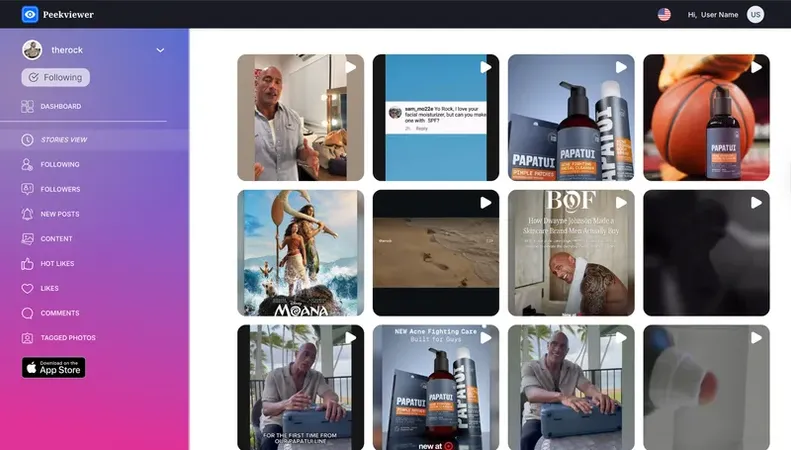
Peekviewer does not retrieve archived content after the fact, nothing can, and any Instagram archive viewer claiming otherwise is selling a fiction. What it does is save everything you track during your active subscription, which solves the timing problem at the root of this whole search.
If you were following the account through the tool before they archived the post, it's already sitting in your userspace. Their decision to hide it from their grid doesn't touch your saved copy. That's the mechanic, and it's why an Instagram archive website built around live capture beats any tool promising retrieval, one works before the content vanishes, the others pretend they can work after. Posts and stories both get saved this way, held for 3 months, and you can download them from your userspace whenever you want.
What Peekviewer Saves That Instagram Hides
The breakdown is concrete, and it maps onto exactly what archiving takes away. Posts you viewed before the owner archived them stay saved, the grid entry can vanish on their end while your copy doesn't move. So you can see deleted Instagram posts easily. Stories captured before they expired or got archived are held the same way, which matters most given how fast stories disappear on their own. Activity data from the tracking period stays too. Some extra useful features of Peekviewer:
The throughline is timing: what you had access to because you were already tracking the account is what you keep, regardless of what gets hidden afterward.
To Sum Up
An Instagram archive viewer can't break into content someone deliberately hid, that door is locked from the inside, and no tool reopens it after the fact. If you've been hunting for where to see archived instagram posts that belong to someone else, the honest answer is that there's nowhere, because archiving was built to keep everyone but the owner out. The only thing you control is timing: capture what matters while it's still visible, and archiving stops being a problem you have to solve. Start tracking the accounts you'd hate to lose before the content goes quiet.
FAQ
Can you see someone else's archived Instagram posts?
An archived story disappears from public view entirely and behaves even more strictly than an archived post. Stories already expire after 24 hours, and archiving means they never return to highlights unless the owner manually adds them. The owner keeps a private copy they can restore, but nobody else has any path to it.
No tool can reveal another person's archived content after it has been hidden. Most so-called archive tools either display only public posts or fail to return anything at all, since archived material was never public to begin with. The only workable approach like Peekviewer service captures content while it's still visible.
Peekviewer doesn't retrieve posts after they've been archived. What it does is save the posts and stories you track during an active subscription, so if you were following the account before they archived something, your captured copy is already in your userspace. That content stays stored for up to 3 months and can be downloaded at any time, regardless of what the owner hides later.