




Instagram spent years letting you answer a photo with a GIF and nothing else. That changed in June 2026. Learning how to post pictures in comments is now a genuine skill people search for, and the same update has turned some comment sections into places you would not want a child scrolling through. If you would rather skip the mess entirely, an anonymous Instagram profile viewer lets you read a profile without opening the app at all. But first, the feature itself: what it does, how to use it, and why it arrived half-built.
What Is the Instagram Photo Comments Feature?
The Instagram photo comments update lets you reply to a post or reel with an image straight from your camera roll, not just the canned GIF library Instagram has offered for years. Meta began the rollout in June 2026 and is still expanding it in waves, which is why your account may have it while a friend's does not. On paper it is a small change. In practice it rewired how comment sections behave, because a photo carries far more than a caption ever could, and Instagram shipped the feature well before its moderation caught up. That gap is the whole story.
How to Post Pictures in Comments on Instagram
Once your account has it, the steps are quick. Open Instagram and find a post or reel where the feature is switched on. Tap the comment box. Next to the GIF button you will see a small image icon, tap it, pick a photo from your camera roll, and hit Send.
If that icon is missing, one of two things is true: the feature has not reached your account yet, or the post's owner disabled photo replies on their content. Neither is a bug you can fix from your end. Creators control it, and plenty are switching it off on purpose.
Instagram Comment Photos Not Showing: How to Fix It
The most common complaint since launch is simple: Instagram comment photos not showing. Blank boxes where an image should be. Three things cause it, and two have workarounds.
First, you have the feature but images render blank. The reliable fix is to tap the post's caption first, then scroll down to the comments, the images load once the post is fully open. Second, if someone else's photo shows as an empty box, long-press the blank comment to force it to display. Third, and least satisfying, the feature simply has not rolled out to your account.
Users on the r/Instagram thread tracking this have been comparing notes on which workaround holds, and the blank-comment bug appears to come and go with app updates rather than with device type.
The Problem Nobody Warned Us About: Instagram Image Comments and NSFW Content
Here is where the Instagram image comments feature went sideways. Within days of the wider rollout, comment sections under large accounts filled with pornography, gore, and shock images. The reason is unglamorous: Instagram's automated moderation was built to scan captions and flag text, not to catch a graphic photo dropped into a reply thread. The tooling was not ready, and the volume exposed it fast.
When we opened the comments under a mid-size creator's reel to check this ourselves, three of the first twenty replies were images that had no business being there, and one was still sitting there a full day later. Meta's AI moderation is catching some of it, but users report it is wildly inconsistent: a clearly explicit image survives while an innocuous meme gets pulled. Creators can disable photo comments on their own posts, and many now do it by default. That is a workaround, not a solution.
The burden has shifted onto the people posting, who never asked for the feature in the first place. It is also a good reason to think about how you browse — the same tools that show you Instagram profile views and other activity let you read a thread from the outside, without wading into a comment section you can't control.
Is the Instagram Comment Photo Feature Safe?
So is the Instagram comment photo feature safe? For adults who can look away, mostly. For younger users, that is a harder yes. Meta has not added age-specific filtering to photo comments, which means a 13-year-old and a 30-year-old see the same unfiltered reply thread.
The scale is the concern. Pew Research Center's Teens, Social Media and Technology report found that 61% of US teens use Instagram, and that 46% say they are online almost constantly. A feature that leaks explicit content into ordinary comment threads reaches an enormous, very young audience by default.
If you want to limit exposure, you have three levers: report individual photo comments, disable comments on your own posts, or restrict who can comment at all. None of them cleans up someone else's thread. There is, though, a cleaner way to read Instagram that avoids the mess — an Instagram comment viewer lets you read a post's comments straight, without the clutter of the live thread.
Browse Instagram Without the Comment Section Mess
If you mainly open Instagram to check a few specific profiles, you do not need the app, the feed, or the comment section to do it. How to view someone's Instagram without an account? Peekviewer lets you do it, including its posts, reels, and activity, straight from a browser. There is no algorithm pulling you deeper and no reply thread to scroll past. You look at what you came for and leave.
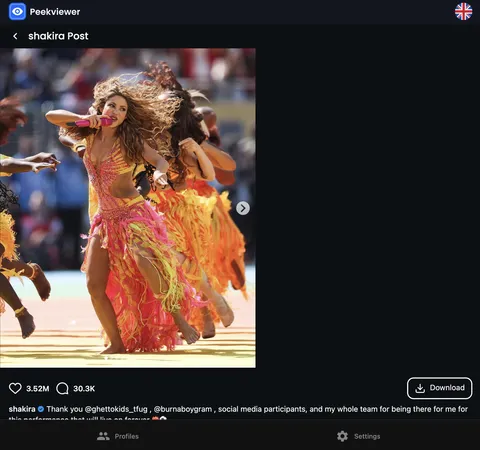
That is the practical appeal: the comment-section chaos this update created is simply not part of the experience. If you have been reading Reddit detox thread and wondering what a lighter way it looks like, this is close to it.
Conclusion
Knowing how to post pictures in comments is useful — the feature adds range to a reply that a GIF never could. The problem is that Meta shipped it faster than it could police it, and comment sections are paying for that gap. Learn the workarounds if your images render blank, report anything that does not belong, and adjust your own comment settings if a thread turns. When the noise gets to be too much, reading Instagram without the comment section at all is a reasonable exit.
FAQ
Usually because the feature has not rolled out to your account yet, Meta is releasing it in waves through 2026. If people around you have it and you do not, waiting is the only real fix.
Open the post's comment settings and disable photo replies, or restrict who can comment. Many creators now switch Instagram image comments off by default to keep their threads clean.
If comment photos aren't showing, it's a known Instagram bug. Tap the caption to open the full post, then scroll down to the comments, the images usually load once the post finishes opening. If one still won't show, press and hold the blank reply to force it to appear.
Yes, the rollout covers both Android and iOS. Availability still depends on which wave your account falls into rather than on your device.