


You can't officially download private Instagram reels, but if you already have access to view them – as a follower or part of someone's Close Friends list – there are still a few ways to save them. When it comes to Instagram private reels download, it's not always simple to find good options. Screen recording is a simple and respectful way to save videos you're allowed to see. If you want to save from an Instagram reels private account, some tools like Peekviewer say they can help, but they also raise privacy and ethical questions. In this guide, we'll go over the tools and methods that actually work in 2026, so you can choose what fits you best.
Why Instagram Reels Download Isn't Officially Allowed
Instagram has pretty clear rules about content ownership and privacy – and honestly, it makes sense. Even though reels are meant to be shared, they still belong to the people who created them. That's why, especially with private accounts, Instagram limits what others can do with that content.
There is a "Save button", but it just bookmarks the reel inside the app – you can't download Instagram private account reels or share them outside Instagram. And while that might feel restrictive, it's actually there to protect creators.
Think about it: if everyone could download any reel without limits, it would be a mess. All those unique recipe ideas, makeup tutorials, workout routines, and other creative content would get reposted everywhere. The things that make Instagram fun and original would quickly lose their spark.
How to Download Private Instagram Reels
First things first – you need to be able to see the private account's content before you can save or download anything. That means the private account has to approve your follow request.
Sending a follow request is the simplest way – just ask to follow and wait for them to accept. It's honest and respectful.
Some people create a second account that looks real, with a nice photo and some mutual friends, to increase their chances. It works sometimes but can feel a little sneaky.
Another way is to check other platforms like TikTok or YouTube, where many creators post their reels publicly. This can be a good way to see content without needing access.
You can also search their name on Google to find public posts or cached versions of their content. It's surprising how much can pop up with a quick search.
Sometimes the easiest option is to ask a mutual friend who already follows them to show you what you want to see.
Once you've got access and can watch the reel, you have a couple of good options:
- Screen record it on your phone or computer
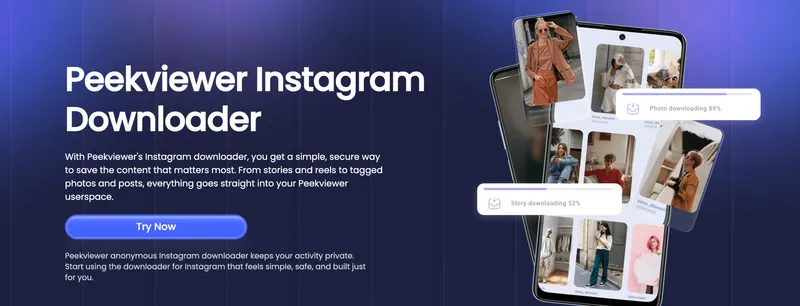
- Use third-party tools like Peekviewer (which we'll talk about more below)
These are the main ways to do an Instagram private reels download, but remember – you have to be able to view the content first.
Peekviewer: Can You Really Save from Instagram Reels Private Account?
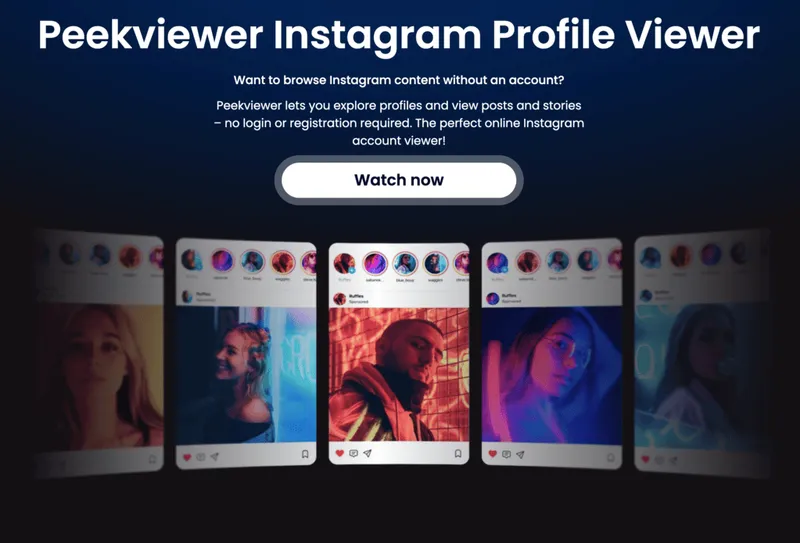
Peekviewer is an Instagram profile viewer that lets you secretly spy and monitor reels from private Instagram profiles with anonymous view capabilities and without alerting the account owner. This tool gives you access to both public and private Instagram accounts. It comes with cool features like downloading not just reels, but also photos and posts. It's safe and trusted – no need to share your personal info.
How to Use Peekviewer
- Go to the Peekviewer website.
- Pick whether the Instagram account is public or private.
- Enter the username or paste the profile link.
- Choose a subscription plan and enjoy Instagram content!
Peekviewer Key Features
- See Private Profiles – View photos, reels, and stories from private Instagram accounts without being noticed.
- 100% Anonymous view – Browse all content without account login or alerts.
- View Private Stories – Watch Instagram stories from private profiles quietly, with no notifications sent.
- Save Content Easily – Download private Instagram photos without following, plus reels and stories, and save them for up to 3 months.
- Track Activity – See who liked, commented, or interacted with posts for deeper insights.
- Try Before You Buy – Free demo lets you check how it works before subscribing.
Free Instagram Private Reels Download Apps
If you're looking to save private reels for free, tools like SnapInsta and InstaSave claim they can help.
SnapInsta lets you download photos, videos, reels, stories, and IGTV posts directly from your browser – no app needed. One cool feature is that you can pick the quality you want, from Full HD up to 4K, so your videos look sharp. It's free and simple to use, but it doesn't support download Instagram reels from private account, and the site has quite a few ads that can be distracting. On mobile, it works best in Safari.
InstaSave is another simple and fast tool for downloading Instagram photos, videos, reels, and albums. It usually requires you to log in with your Instagram account and can't view private profiles anonymously. Also, it doesn't notify you of new posts or stories, and it lacks batch download or auto-save features. The site isn't fully optimized for both mobile and desktop browsing, but it gets the job done only for public content.
Keep in mind: Both tools generally require a direct link to the post and don't work well with private accounts due to Instagram's privacy protections.
Testing Instagram Private Reels Download App and Tools
Peekviewer Test – Subscribed, Tested, and It Actually Works (Even on Private!)
We started with Peekviewer secret instagram story viewer, since it's specifically built to help users download Instagram private reels online and save content from private Instagram accounts, including Reels, stories, and posts. Unlike free downloaders, Peekviewer isn't a quick copy-paste tool. You need to sign up and choose a subscription plan. But they offer a free demo, which gives you a sneak peek before committing. We went for the full experience and paid for a plan to properly test it.
What happened when we tried it: With public accounts (we used Beyoncé as a test case), it worked great. We could see Reels, Stories, photos, and even all recent activity – like who liked her posts, who commented, and what's been uploaded recently. After a couple of days, we hit the refresh button, and all the content showed up-even hidden reels, stories, profile photos – everything you'd normally never see on private Instagram unless you followed them.
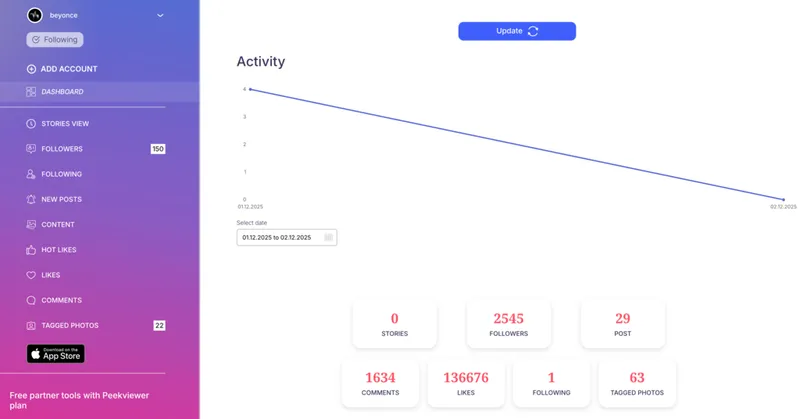
What could be better: Private profile data takes a little time to load. It's not instant, but considering it actually works, the delay is worth it.
Bottom line: Peekviewer was the only tool that successfully showed and allowed downloads from private Instagram accounts. It even gave us a full view of Beyoncé's public profile activity, which made it feel almost like a social media dashboard.
SnapInsta Test – Free, But Limited, and Doesn’t Work on Private Accounts
Next, we tried SnapInsta, a free Instagram downloader that lets you grab photos, videos, reels, stories, and IGTV content without installing anything or signing up.
What happened when we tried it: On public accounts like Beyoncé's, SnapInsta showed only a few photos and no reels, even though they exist. Downloads were incomplete and inconsistent. For private accounts, it didn't work at all—trying to download showed activity, but nothing loaded or saved.
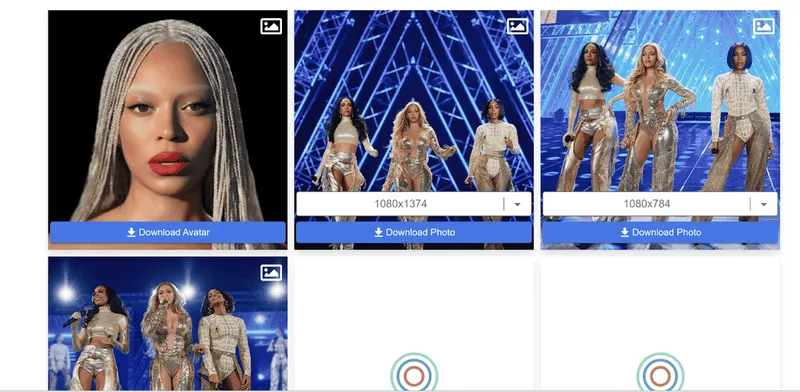
What could be better: SnapInsta doesn't support private accounts at all. Sometimes reels or stories from public profiles don't load properly. Download speeds and success can be inconsistent, and it lacks advanced features like activity tracking or batch downloads.
Bottom line: SnapInsta is a decent free tool if you only want to save some public photos or videos. But if you're looking for reliable reel downloads or access to private accounts, it falls short when it comes to Instagram private reels download.
InstaSave Test – Fast and Simple, But Ad-Heavy and Doesn’t Handle Private Content
Finally, we checked out InstaSave, a popular Instagram private reels download app promising quick access to photos, videos, reels, and IGTV posts.
What happened when we tried it: Right away, the site hit us with lots of ads before we could enter a username. Using Beyoncé's public profile, InstaSave showed some photos but no reels. Downloads often didn't start, and the site froze or gave errors. For private accounts, it didn't work at all – just endless loading or failure messages.
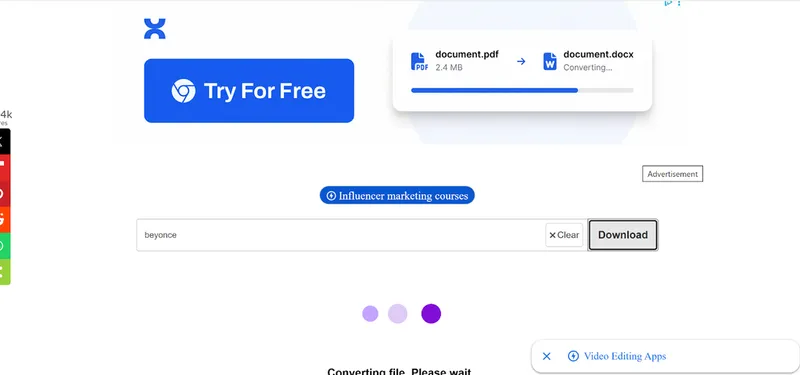
What could be better: InstaSave has a heavy ad load that can make using the site frustrating. It doesn't support private profiles or anonymous viewing, and lacks features like batch downloads or auto-save. The site isn't well optimized for mobile or desktop, and users may often experience failures when trying to download reels or stories.
Bottom line: InstaSave is okay for quick grabs of public photos and videos if you don't mind ads. But it's unreliable for private content and fails often when downloading reels.
Comparison Table for Instagram Private Account Reels Downloader
| Category | Peekviewer | SnapInsta | InstaSave |
| Setup | Easy, no login or install, just paste the link | Simple and fast, may require an Instagram login | Simple and fast, may require Instagram login |
| Audience Building | Activity tracking and profile monitoring | No engagement or growth features | No engagement features |
| Safety | No ads, fully anonymous, no login needed | Lots of ads, some risk | Ads and pop-ups, not fully optimized |
| Support | Responsive support available | No customer support | No official support |
| Content Access | Works with private and public profiles, many features | Only public posts, no private access | Public content only, no anonymous or private access |
| User Experience | Clean, reliable interface, private content loads a bit slower | Ad-heavy, sometimes slow but straightforward | Ads and bugs, clunky experience |
| Overall | Best choice for private and public content, no ads, many features, subscription required | Good for public content downloads, limited by ads and no private access | Works for public content, limited features, no private access |
Conclusion
Downloading private Instagram reels in 2025 is still tricky, but possible if you have access. Instagram private reels download isn't officially supported, but screen recording remains a simple, safe option. Free tools like SnapInsta and InstaSave work for public posts but often fail with private accounts. They usually need a direct post link and access. Peekviewer Instagram private account reels downloader isn't free, but it offers anonymous viewing and saving from private accounts. Pick the tool that fits your needs and access level!
FAQ
It can, but it takes time because private accounts are harder to access.
Downloading private reels is legal if you use safe and trusted tools that don't ask for your personal info.
Definitely! If you can watch the reel, screen recording is probably the easiest way to save it.
Nope, Instagram doesn't alert anyone when you screen record reels right now.