


Want to keep certain people from seeing your Instagram posts in 2026 - without blocking them? If you ask can you hide posts from people on instagram, the answer is yes, but with some limitations. Here are practical, subtle ways to protect your privacy on IG app and how to hide posts from someone on instagram:
- Restrict their account so they can follow you but have limited interaction.
- Use Close Friends to share stories with a select group.
- Hide stories or live streams from specific followers.
- Use PeekViewer to view Instagram profiles and stories anonymously without logging in.
While Instagram doesn’t provide a direct way to hide Instagram posts from certain followers in your Feed, combining its privacy settings with thoughtful posting gives you full control over who can view your content.
How to Hide Posts From Someone on Instagram Without Blocking
Maybe you don’t want certain people to see your private content, but at the same time, you don’t want to be rude by blocking or unfollowing them. If you’re wondering how to hide posts from someone on Instagram without blocking, your best options include sharing stories with a selected group of people, limiting how certain followers interact with you, restricting specific users from viewing parts of your content through privacy settings, making your account private and removing unwanted followers, or using a second account for more personal posts. These options help you stay private without creating awkward situations.
How to Hide Instagram Posts From Certain Followers
If you want to learn how to hide instagram posts from certain followers, here are the best options:
- Close Friends – Share Stories or Lives only with a select group.
- Restricted Accounts – Limit someone’s interaction without unfollowing or blocking.
- Private Account – Only approved followers can see your posts.
- Remove Followers – Quietly stop someone from seeing your content without blocking.
- Blocking – Completely hides your profile and posts from that user.
- Archive Posts – Temporarily hide a feed post without deleting it.
Remember: you can’t hide a public feed post from just one follower. If your account is public, everyone can see it. To limit access, you’ll need to make your account private, remove followers, or share selectively through Stories and Close Friends.
Can You Hide Posts From People on Instagram?
The big question: can you hide posts from people on Instagram? The answer depends on whether you are posting to your Feed or Stories.
- Feed posts — These are permanent photos or videos on your profile. As of 2026, Instagram still doesn’t let you hide instagram post from one person without blocking. To control access, you must either make your account private, remove the follower, or block them.
- Stories — These disappear after 24 hours and offer more control. You can hide Stories (and Lives) from specific followers or share them only with a Close Friends list.
Instagram’s privacy tools mostly work at the account level, not on individual feed posts. Stories have selective sharing options, but feed posts do not, which is why how to hide posts from someone on Instagram without blocking remains limited.
Block a User to Completely Hide Posts
To fully control your privacy and answer the question can you hide posts from people on instagram, blocking is the most effective way to prevent someone from seeing your Instagram posts:
- Go to their profile.
- Tap the three dots in the top-right corner.
- Select Block to confirm.
Blocking removes the user from your followers, hides all of your posts and Stories, and prevents them from finding your profile or interacting with you altogether. While they won’t receive a notification, they might notice the change if they try to view your content.This is the most effective method for how to hide posts from someone on Instagram completely.
Hide Instagram Stories from Specific People
You can keep your feed visible but limit who sees your Stories by following these steps:
1. Open Instagram and go to Settings.
2.Tap Privacy, then select Story
3. Choose Hide Story From.
4. Select the followers you want to hide your Stories from.
Many users ask, can you hide instagram posts from certain people? While this setting applies only to Stories, it lets you control who can view them. Alternatively, use the Close Friends feature to share Stories only with a chosen group. This method is ideal if you want to learn how to hide posts from someone on Instagram from certain followers but only for Stories.
So, can you hide instagram posts from certain people? Yes, especially when it comes to Stories.
Make Your Account Private
If you’re asking, can i hide my posts from someone on instagram, making your account private is one of the best ways to do so without blocking. This setting ensures only approved followers can see your posts.
- Open Instagram and go to Settings.
- Tap Privacy.
- Select Account Privacy.
- Toggle Private Account on.
Use a Secondary Account
Some users create a finsta (fake Instagram) for a small group of trusted followers. This is a good way to share personal updates without worrying about unwanted viewers. How to stop someone from seeing your posts on instagram without blocking can be addressed by using a secondary account, which is a popular workaround even though it’s not an official Instagram feature.
Try Instagram Viewer Tool PeekViewer
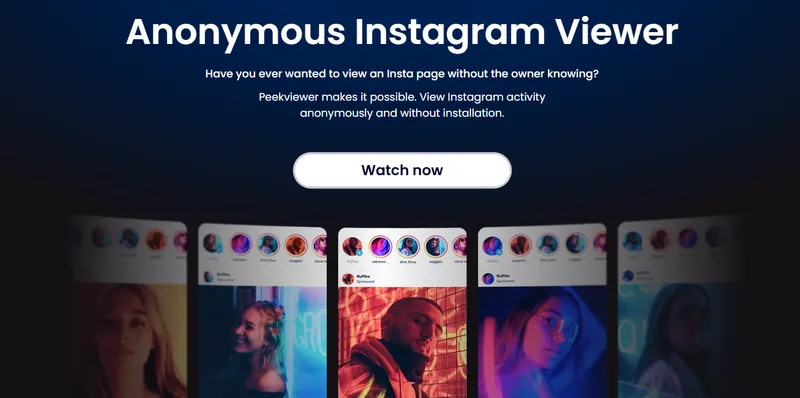
PeekViewer is an online Instagram profile viewer tool that lets you browse Instagram profiles incognito and anonymously view stories and posts without logging in or having an IG account.
How to Use PeekViewer
- Go to the PeekViewer website.
- Choose if the account is public or private.
- Type the Instagram username or paste the profile link.
- Enter your email, pick a plan, and select what you want to see!
What PeekViewer Does:
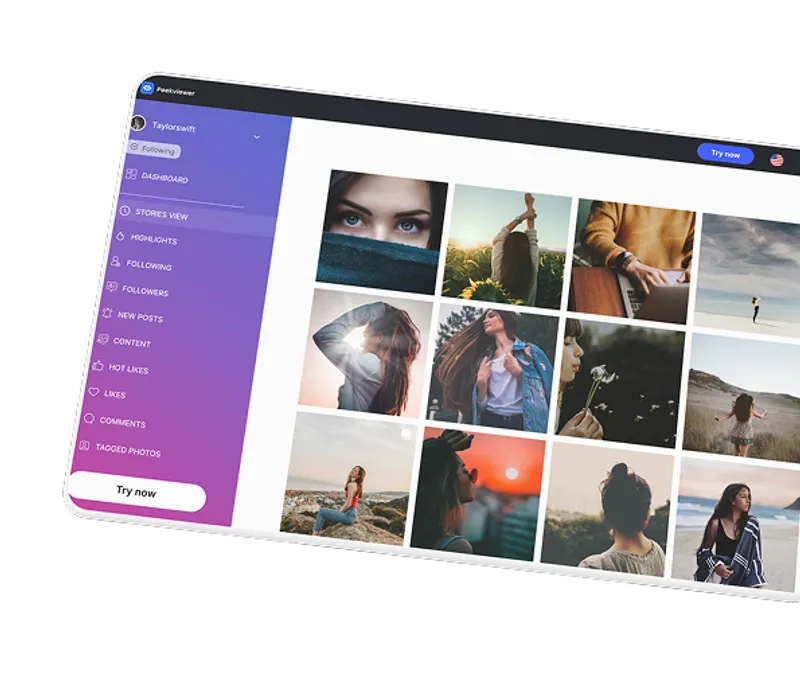
- Access private profiles: See content from private Instagram accounts easily and without hassle.
- Anonymous story and post viewing: View Instagram stories anonymously and watch posts without being detected.
- No login required: Use the tool without signing in or creating an account.
- Save and download: Download private Instagram photos in high quality and keep them saved for up to 3 months.
- Keep track of likes and comments: See who’s interacting with posts, including older ones, using an Instagram tagged viewer.
- Great for checking visibility or monitoring accounts incognito: Perfect for quietly keeping tabs on profiles without being seen.
Conclusion
In 2026, Instagram still doesn’t allow you to can you hide posts from people on instagram individually in your Feed without blocking. However, using Stories, Close Friends lists, Restricted accounts, and private profiles, you have plenty of ways to control who sees your content.
If you want to browse private Instagram accounts incognito and without account login, PeekViewer is a great private viewer option. It lets you spy, monitor, and view stories and posts anonymously—no need to log in—so you can quietly check specific accounts without being noticed.It also functions as a deleted instagram post viewer to help you see removed content.
FAQ
Yes, you can. Make your account private and remove them from your followers, hide your Stories from them, or block them. But you can’t hide individual Feed posts from just one person without blocking.
No. If your account is public, anyone can see your Feed posts. If your account is private, only your approved followers can see them. You can’t pick and choose who sees each post.
Only people you approve as followers can see your posts if your account is private. Anyone else won’t see your posts or Stories.
No. Likes and comments are visible to everyone who can see the post. You can’t hide them from specific people.