


In 2026, Instagram continues to give users more control over what they see and who they interact with. One of the most subtle yet powerful tools for managing your experience is the mute feature.
Muting allows you to stay connected with people while silencing their posts, stories, or reels from your feed — no unfollowing, no blocking, and no drama.
Here’s a quick summary of what happens when you mute someone on Instagram:
- You won’t see their posts, stories, or reels in your feed.
- They can still see and interact with your content.
- Instagram never notifies them that you’ve muted them.
- You can unmute them at any time.
- It’s perfect for quieting your feed without ending a connection.
In this guide, you’ll learn what does muting someone on Instagram do and Instagram viewer Peekviewer can give you the same control without needing to mute anyone at all.
What Happens When You Mute Someone on Instagram?
When you mute someone on Instagram, you’re simply choosing not to see their updates in your feed — but you’re still following them. It’s one of the most subtle and respectful ways to control what appears in your Instagram experience.
Here’s what happens when you mute someone on Instagram:
- No posts, stories, or reels appear in your feed. Once muted, the person’s new posts, stories, or reels will no longer show up on your home page or story bar. You can still visit their profile manually if you want to see what they’ve posted.
- They can still see and interact with your content. Muting doesn’t affect their ability to like, comment on, or view your posts and stories. They’ll continue to see your profile just like before.
- Muting is completely private. Instagram doesn’t notify people when they’ve been muted, so you can do it freely without worrying about causing offense.
- Muting is reversible anytime. You can unmute someone at any time from their profile or your settings menu — instantly restoring their posts and stories to your feed.
What Does Muting Someone on Instagram Do?
Understanding what does mute mean on Instagram is key to controlling your feed without unfollowing or blocking anyone. Muting lets you filter the content you see while still staying connected to the person.
Here’s a detailed breakdown of how it works in 2026:
- Hide posts: When you mute someone’s posts, their new photos and videos won’t appear in your main feed.
- Hide stories: Muting stories removes that person’s updates from the stories bar at the top of your screen.
- Mute notes and reels (newer features): Instagram’s latest updates allow you to mute Notes (short status messages in DMs) and Reels, giving you even more control over your feed.
- Still follow each other: Muting doesn’t affect your follower status. Both accounts continue to follow each other, exchange messages, and interact normally on posts or comments.

How to Mute Someone on Instagram in 2026
Muting on Instagram in 2026 is easier than ever, thanks to redesigned menus, AI-suggested controls, and more granular options that let you decide exactly what to hide. Muting is fully reversible and private, giving you control over your feed without awkward social consequences.
Here are the main ways to mute someone:
From Their Profile
- Go to the person’s profile.
- Tap Following → Mute.
- Choose what you want to mute:
- Posts: Their new photos and videos won’t appear in your main feed.
- Stories: Their stories won’t appear at the top of your screen.
- Reels: Hide their short video content from your feed.
- Notes: Mute short text updates in DMs.
- Posts: Their new photos and videos won’t appear in your main feed.
From Your Feed
- Locate a post from the person you want to mute.
- Tap the three dots in the top-right corner of the post.
- Select Mute, then choose whether to mute:
- Posts only
- Stories only
- Posts & Stories together
- Posts only
From Messages (DMs)
- Open the chat with the person you want to mute.
- Tap their name at the top of the chat.
- Toggle:
- Mute Messages — silence notifications for new messages.
- Mute Call Notifications — block call alerts without leaving the chat.
- Mute Messages — silence notifications for new messages.
How to Tell If Someone Muted You on Instagram
It’s not easy to know how to tell if someone muted you on Instagram. Instagram doesn’t send notifications, and there’s no list showing who has muted you.
Here are some signs that might indicate you’ve been muted:
- Drop in engagement: If someone who used to like or comment on your posts stops interacting, they may have muted you.
- Story views: If someone who previously viewed your stories no longer appears in your story viewers list, they could have muted your stories or posts.
- Check their activity: If they are still active on Instagram but not engaging with your content, muting might be the reason.
Does Instagram Notify When You Mute Someone?
A common concern: Does Instagram notify when you mute someone? The answer is no — Instagram never tells anyone they’ve been muted.
No notifications are sent, and they cannot figure it out from your profile. Even if you mute and later unmute them, the action remains completely private. This means you can use the mute feature freely without worrying about awkwardness or confrontation.
Explore Instagram Content Selectively and Anonymously

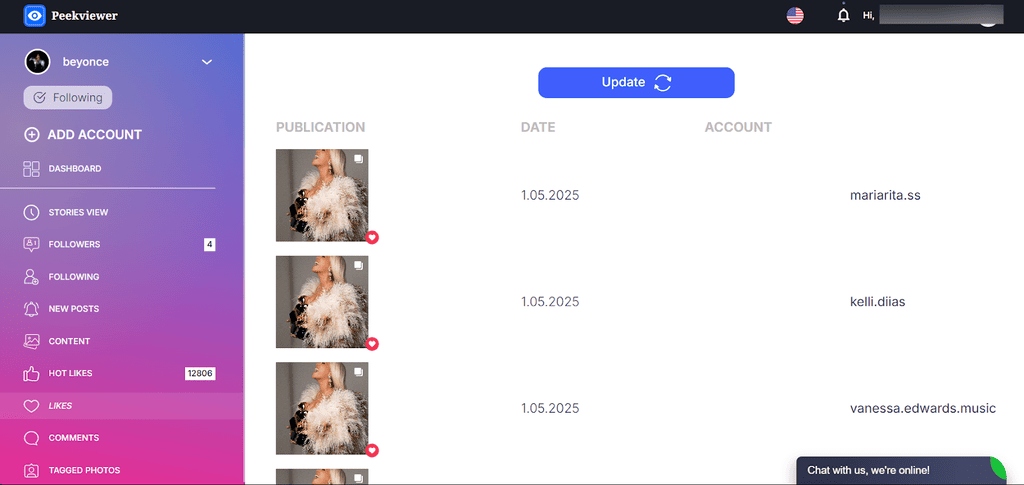
If you want to browse Instagram without muting anyone or drawing attention, Peekviewer is a powerful alternative. Peekviewer is an Instagram profile viewer that allows you to secretly monitor reels, photos, and stories — all anonymously and without alerting the account owner. You can even view story from private accounts safely and privately.
Peekviewer Key Features
- See Private Profiles: View photos, reels, and stories from private Instagram accounts without being noticed.
- 100% Anonymous Viewing: Browse all content without logging in or sending alerts to the account owner.
- View Private Stories: Watch Instagram stories from private profiles quietly, with no notifications sent.
- Save Content Easily: Download private Instagram photos, reels, and stories, and save them for up to 3 months.
- Track Activity: See who liked, commented, or interacted with posts for deeper insights, including interactions with close friend’s stories.
Conclusion
Muting someone on Instagram in 2026 is a simple way to control your feed quietly and respectfully. Here’s what happens when you mute someone on Instagram: their posts, stories, or reels are hidden from your feed without unfollowing them or notifying them. You stay connected, avoid awkwardness, and take control of what you see. If you prefer, you can also use tools like Peekviewer to view content anonymously, without anyone knowing. Whether you choose to mute or peek, this tool now gives you easy ways to enjoy content on your terms and track Instagram activity for deeper insights.
FAQ
It means you’ve hidden their posts, stories, or reels from your feed without unfollowing them. They can still see your content, and you remain connected, but their updates won’t appear automatically in your feed.
Go to their profile, tap “Following”, then “Mute”, and toggle “Stories” off.
No. Instagram never notifies users when they’ve been muted, and there’s no way for them to tell by checking your profile.
If you don’t see the mute option, your app may need an update. The mute feature is located under “Following” on user profiles, and it allows selective muting of posts, stories, reels, or notes.
